The Locksmith Business Management System is an all-in-one locksmith business spreadsheet for locksmiths. Log every job or sale, chase unpaid invoices, run your stock take, plan the rota, keep on top of daily checks, certificates and risk assessments, and see your profit on a live dashboard. It costs £15 once, with no subscription and no app, so you keep your own data in a file you already know how to use.
Why locksmiths choose a spreadsheet over an app
- One-off £15, not a monthly fee
- Works offline in Excel you already own, or in Excel online with your team
- Your data stays in your file, not on someone else's platform
- Fully editable: add your own checks, stock items, hazards and categories
Built for locksmiths
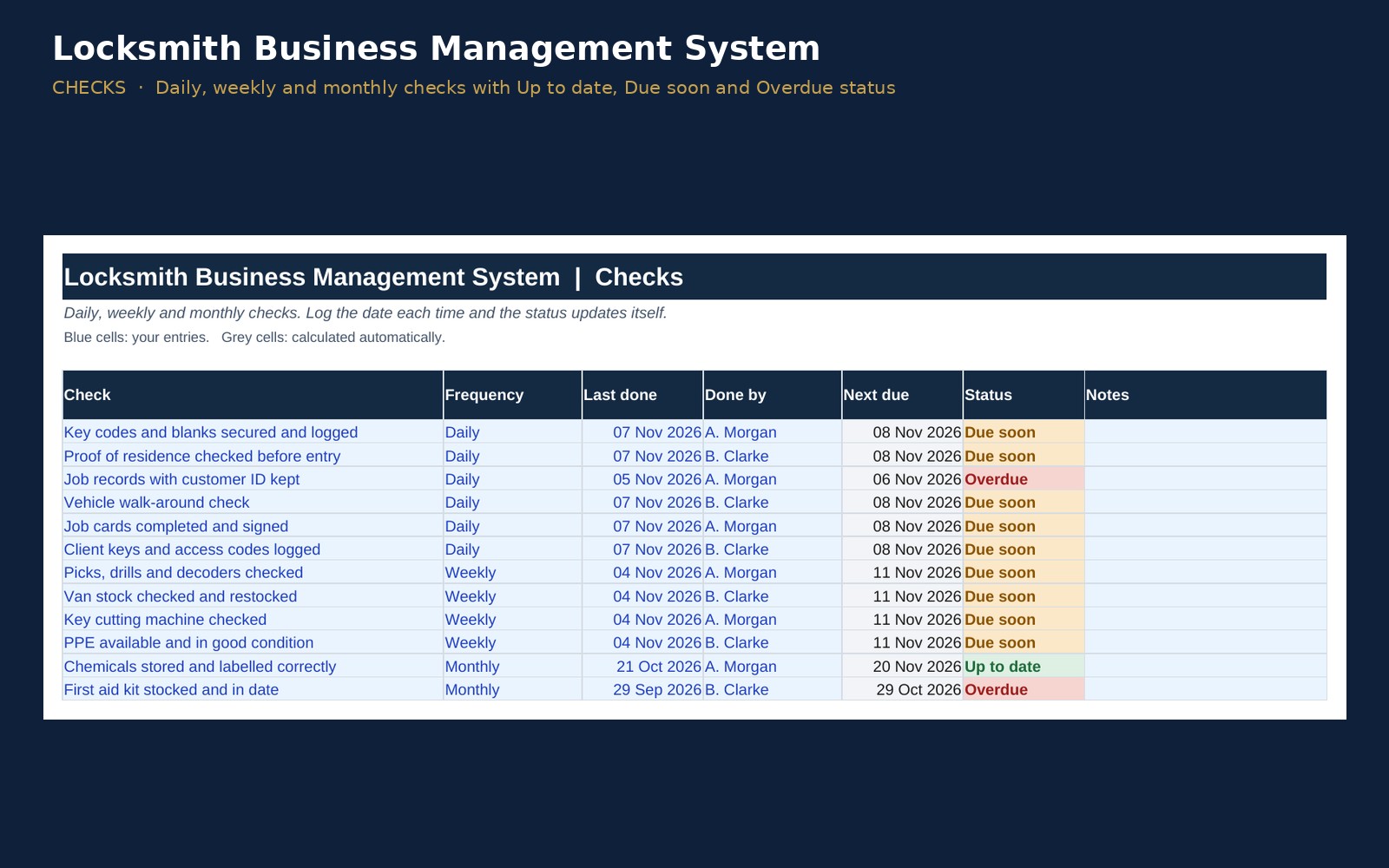
- Daily, weekly and monthly checks: key codes and blanks secured and logged, proof of residence checked before entry, job records with customer ID kept, vehicle walk-around check, job cards completed and signed and more, each showing Up to date, Due soon or Overdue.
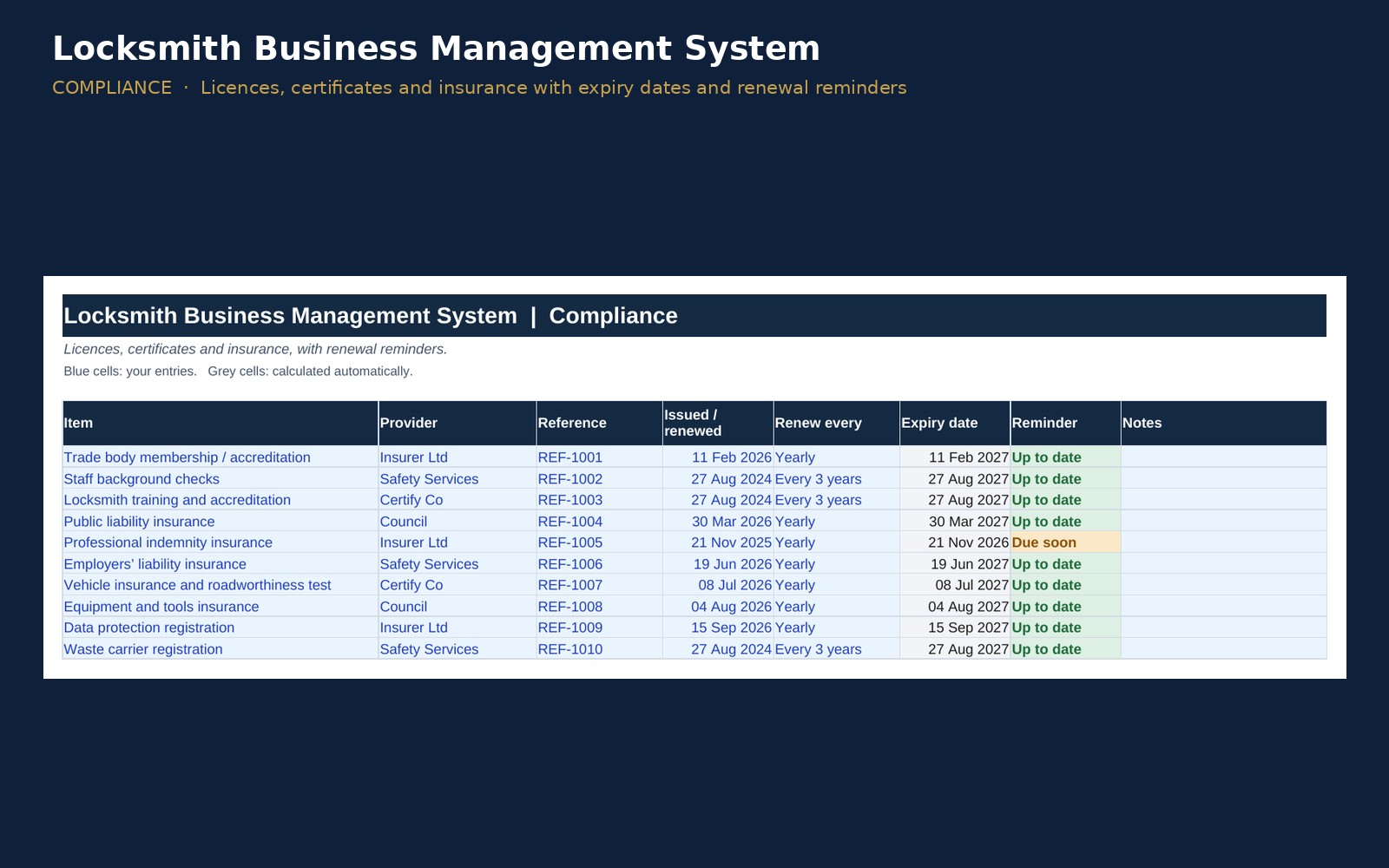
- Compliance register with renewal reminders: trade body membership / accreditation, staff background checks, locksmith training and accreditation, public liability insurance, professional indemnity insurance, plus employers’ liability insurance, vehicle insurance and roadworthiness test, equipment and tools insurance and more.
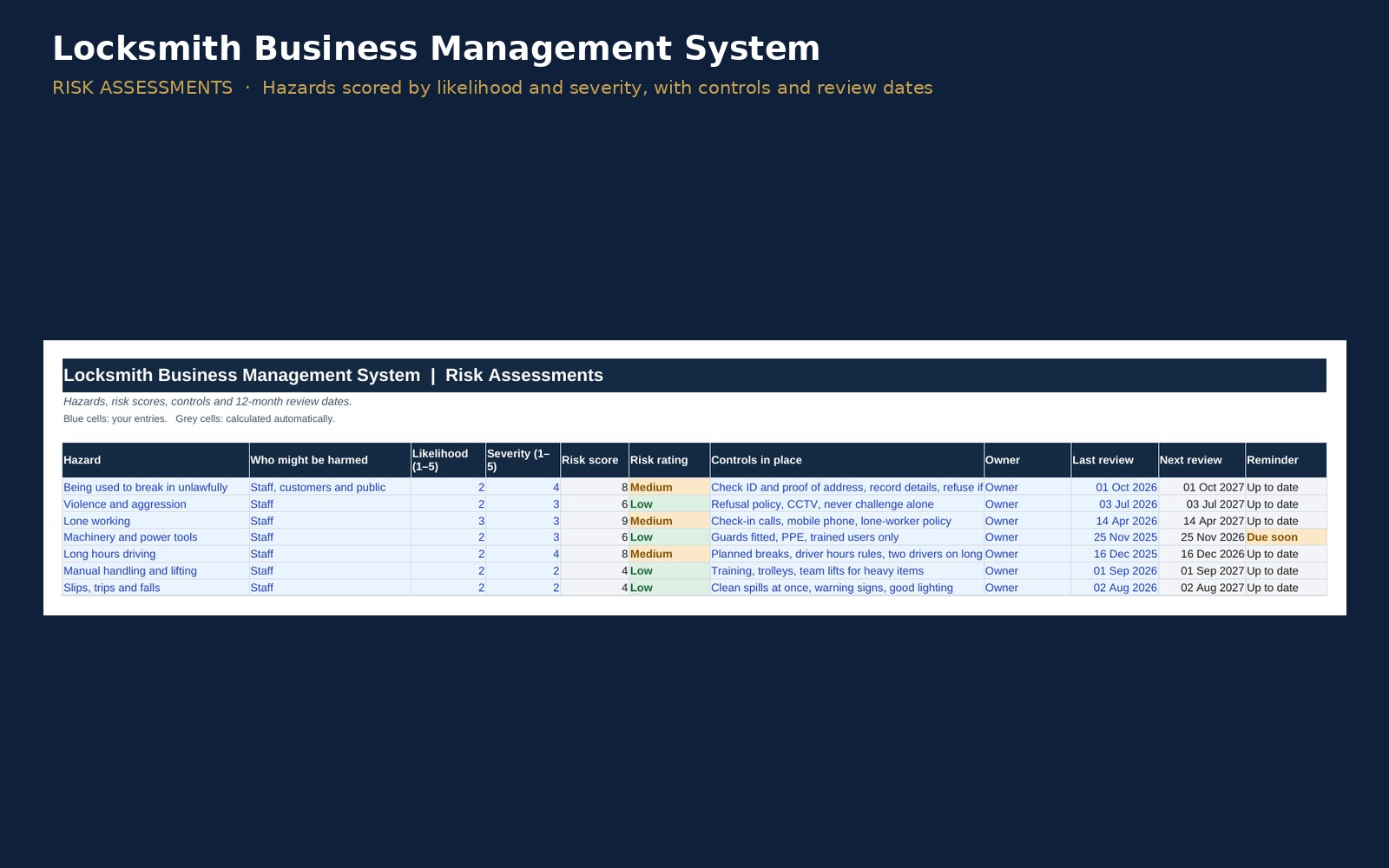
- Risk assessment template: 7 pre-filled hazards with likelihood × severity scoring, Low/Medium/High ratings, controls and 12-month review dates.
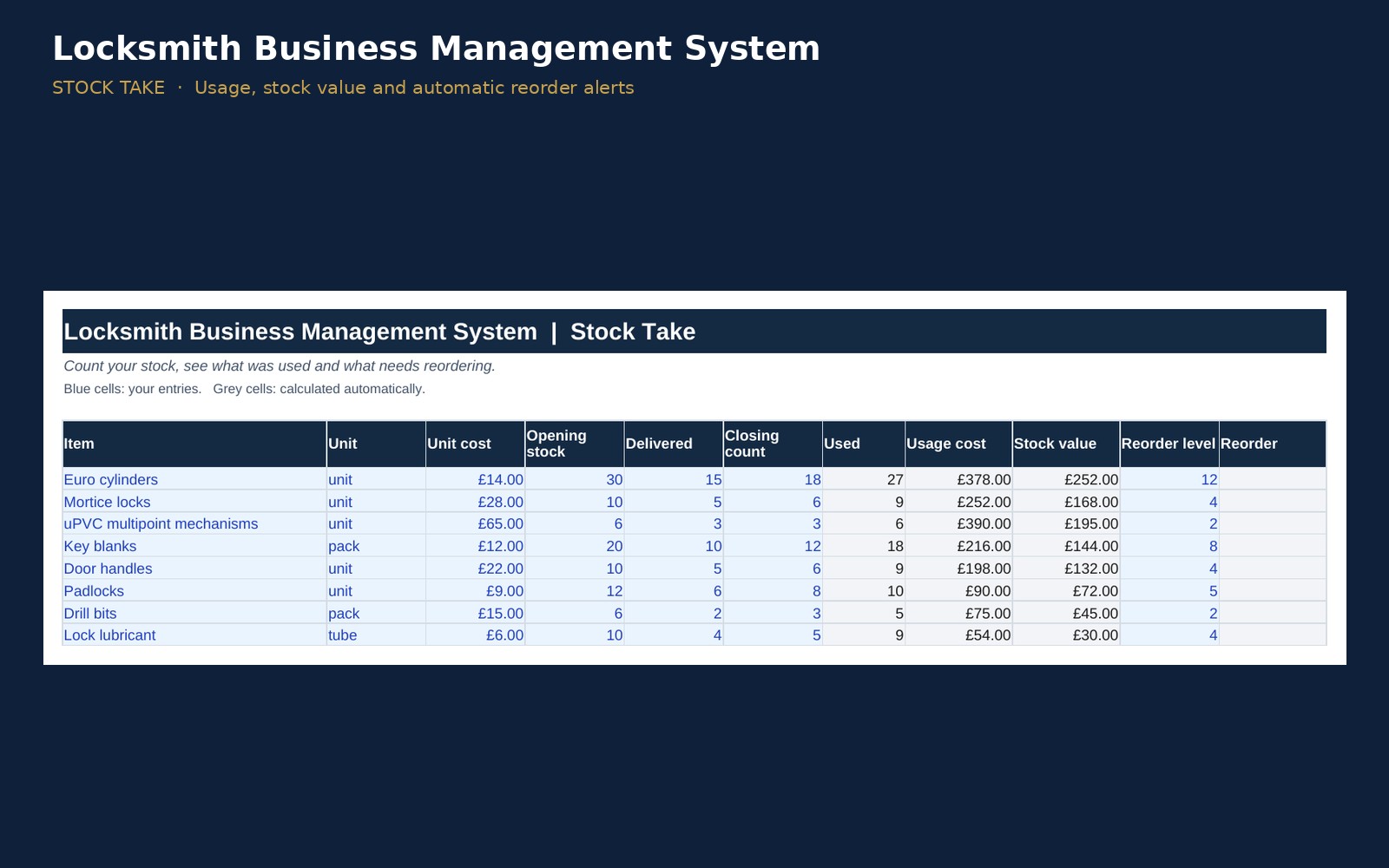
- Stock take spreadsheet: pre-loaded with euro cylinders, mortice locks, uPVC multipoint mechanisms, key blanks and more, showing usage, stock value and reorder alerts.
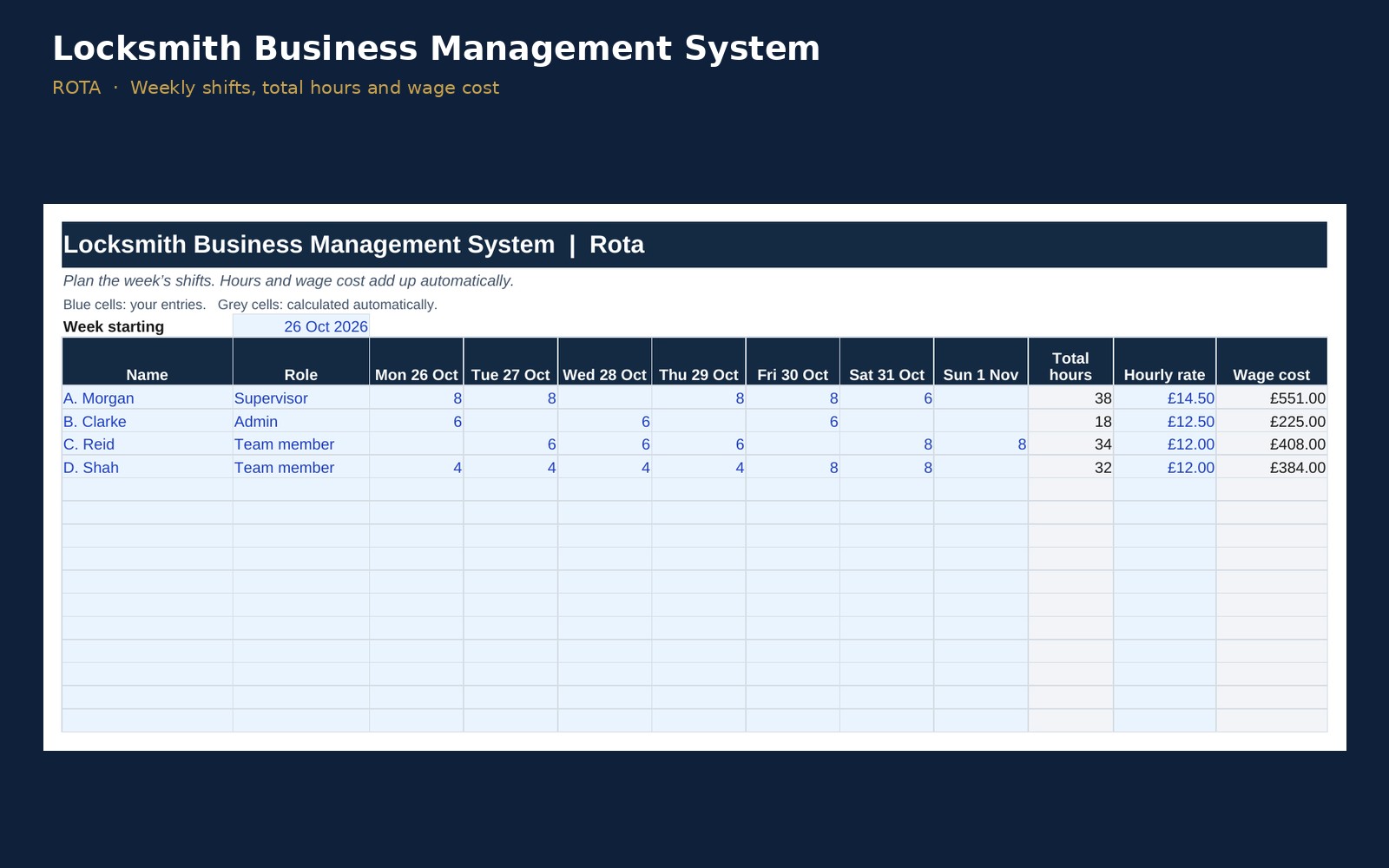
- Staff rota template: weekly shifts, hours and wage cost.
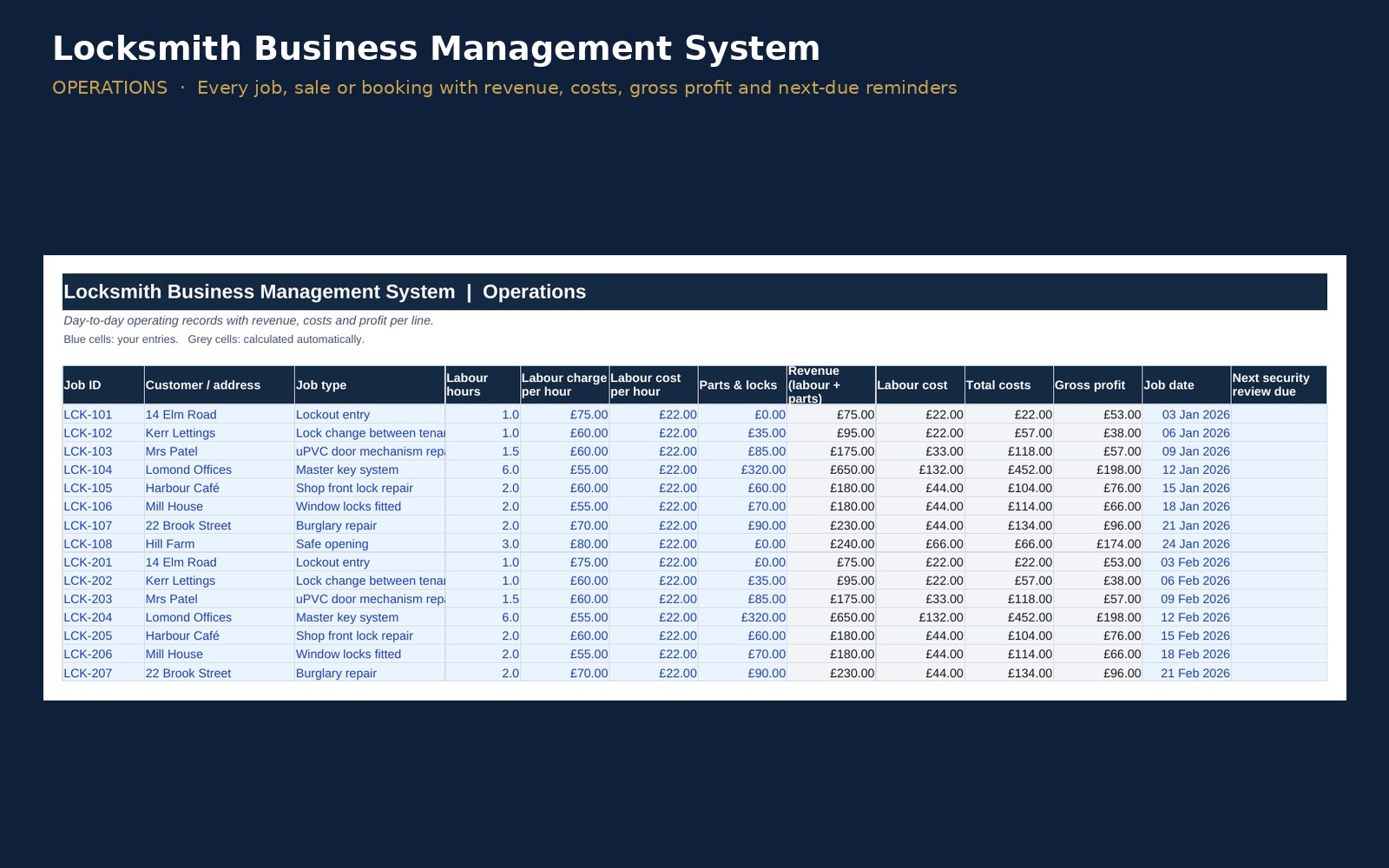
- Operations tracker: job type, labour hours, revenue (labour + parts), costs and gross profit on every line, with "next security review due" reminders.
- Key figures for your trade: average job value, labour hours sold, parts & materials billed, labour margin.
Money and admin, done for you
- Sales and VAT: net, tax and gross on every sale, at your own tax rate
- Invoice tracker: Paid, Open and Overdue status, with days overdue
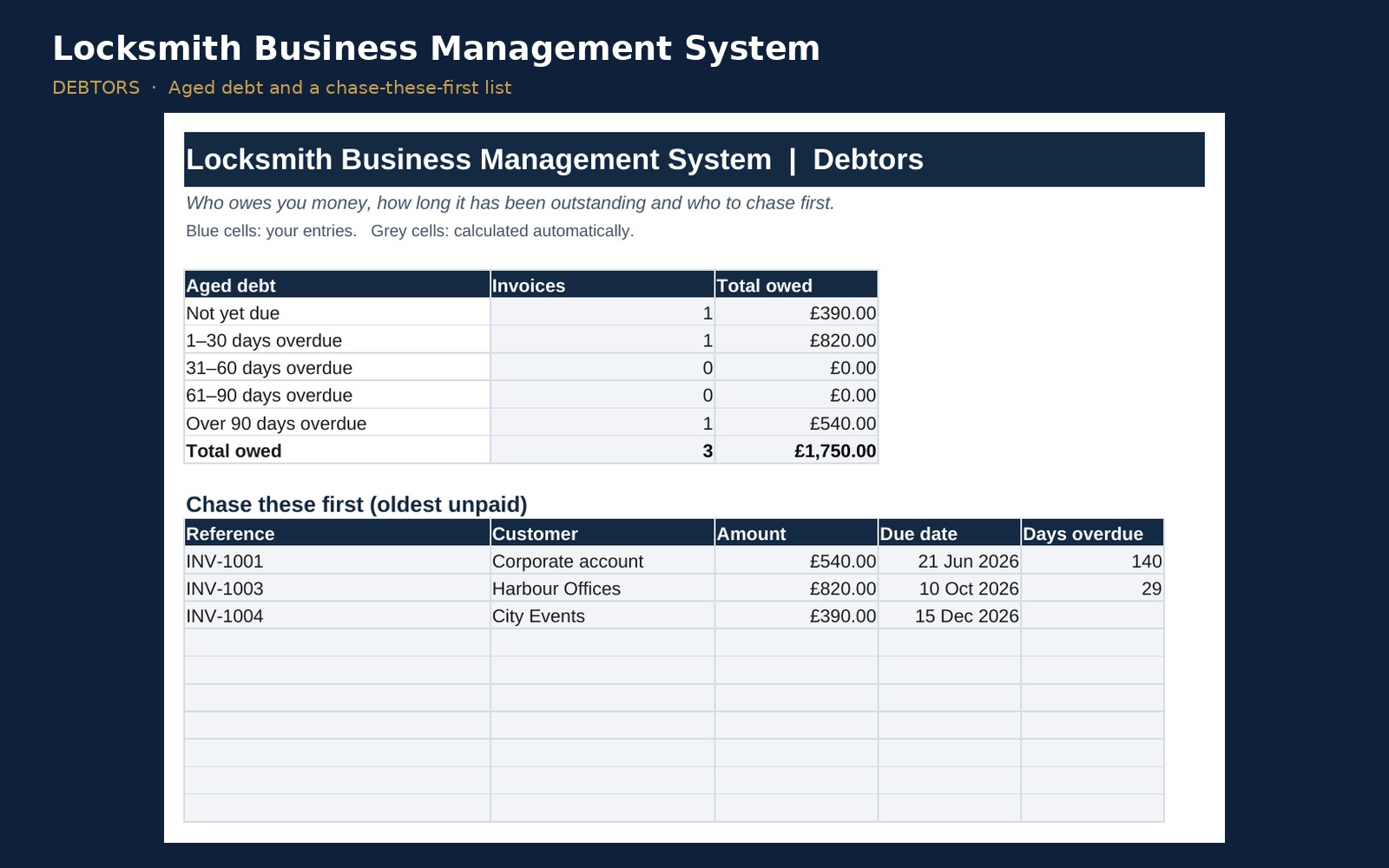
- Debtors report: aged debt (1–30, 31–60, 61–90, 90+ days) and a "chase these first" list
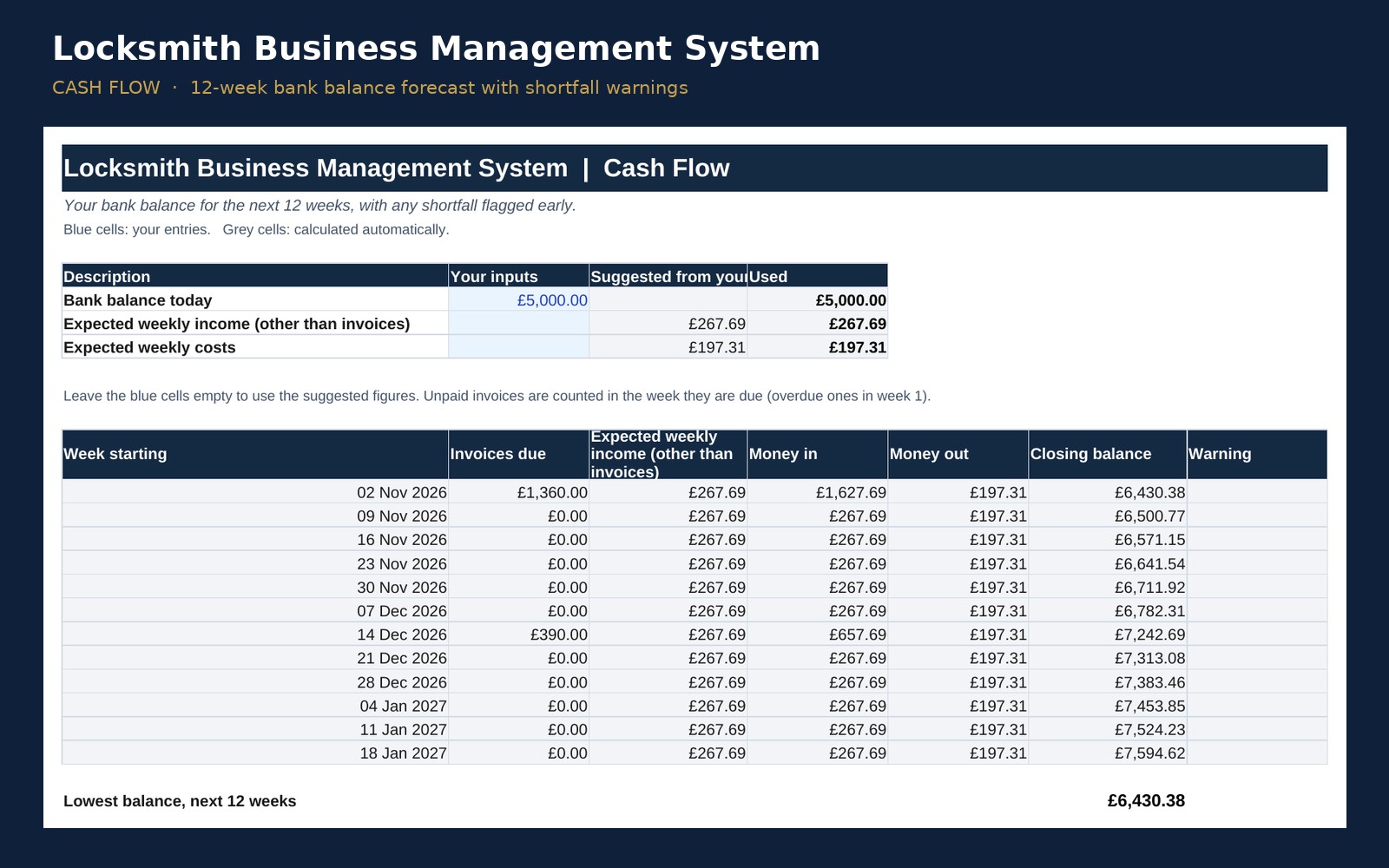
- 12-week cash flow forecast with shortfall warnings
- Quarterly VAT summary: tax charged, tax reclaimable, net to pay
- Profit and loss: yearly and month by month, plus budget vs actual
- Pricing calculator for your target margin
- Expenses, staff hours, customers, suppliers, assets and maintenance logs
Dashboard
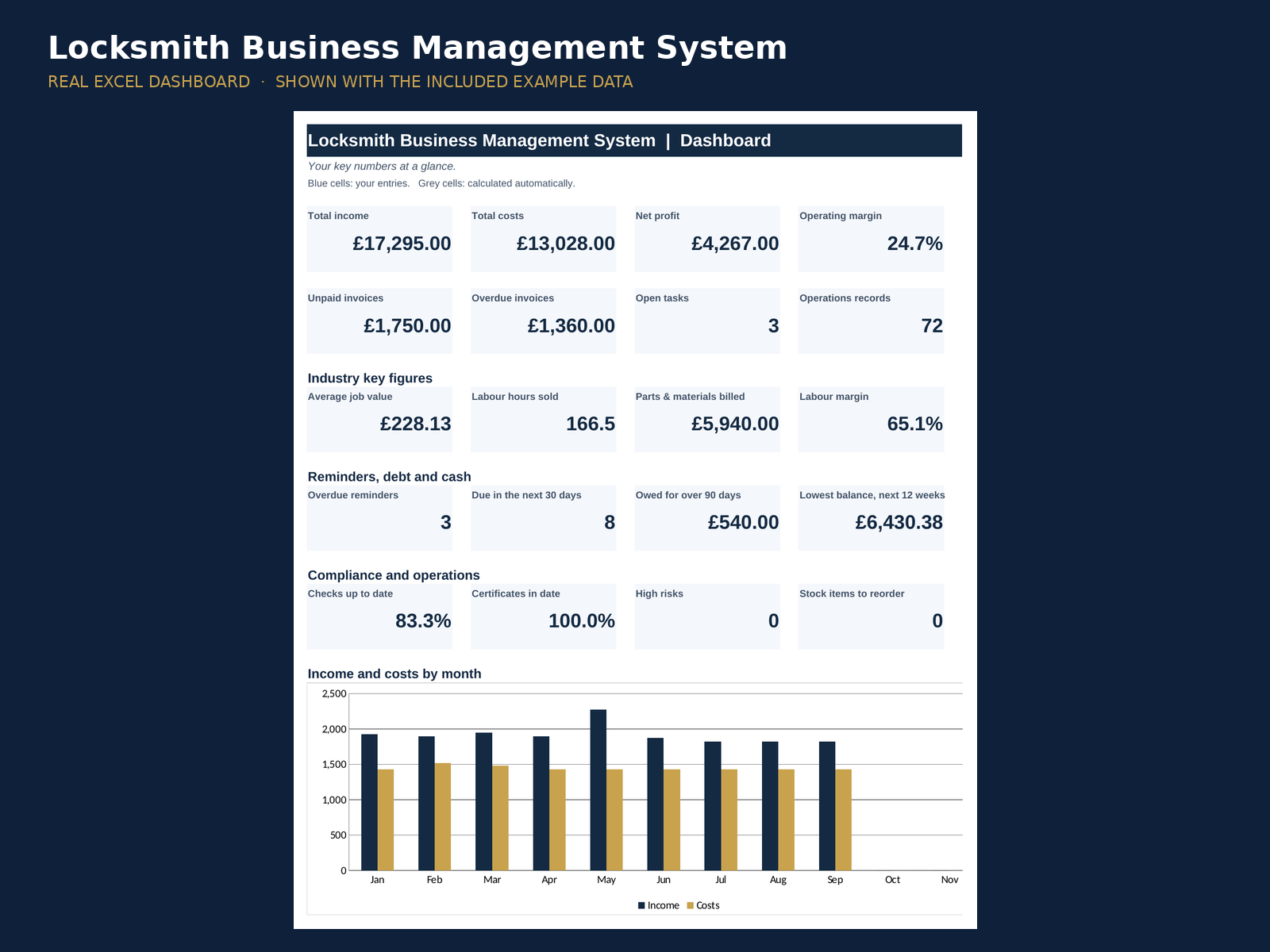
A one-page dashboard with income, costs, net profit, margin, unpaid and overdue invoices, industry key figures, reminders, cash position, a compliance score (checks up to date, certificates in date, high risks, items to reorder) and month-by-month charts.
Works for you, wherever you are
- 5 languages: English, Spanish, French, German and Portuguese
- 25 countries and currencies, for example £, €, $, ¥, kr and R$, with the symbol in the right place
- Excel 2016+, Microsoft 365, Excel for Mac and Excel online. No macros.
- Formulas protected against accidental changes, and you can unprotect with no password
What you get
- Locksmith Business Management System (.xlsx), 24 working sheets
- Example data to show how it works, easy to delete
- Start Here guide inside the workbook
Read the full guide: Starting a locksmith business